Cube Island Puzzle Game
Review
Cube Island offers a unique blend of building and merging puzzles that is both calming and engaging. The controls are smooth, the pace is gentle, and the joy of watching your island grow keeps you coming back. Perfect for a quick break or a longer session, this free online game is a delightful escape.
About This Game
Game Introduction
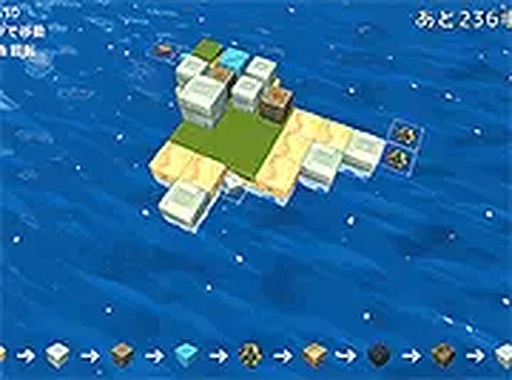
Welcome to Cube Island, a delightful online puzzle game where your goal is to build a big island from scratch! The concept is simple yet engaging: drop the cube shown inside the dotted line into the sea, and it transforms into solid land. But the fun doesn't stop there—when you merge two identical cubes, they evolve into a completely different cube, adding layers of strategy and discovery. This game is designed for desktop play and works best with a keyboard or mouse, offering smooth controls and a relaxing pace. Whether you're a fan of block puzzles or just looking for a creative way to pass the time, Cube Island provides a wholesome experience for all ages. Best of all, it's completely free to play online, with no downloads required—just open your browser and start building. For a more immersive session, you can switch to full-screen mode and lose yourself in the world of cube merging and island creation.
How to Play
The game is easy to pick up but offers depth for those who enjoy strategic thinking. Use the arrow keys or WASD keys on your keyboard to move the cube across the grid. You can also swipe if you're using a touch-enabled device, though the game is optimized for desktop. To rotate the camera and get a better view of your growing island, press the E and R keys. The main action involves dropping the cube within the dotted line into the sea—once it lands, it becomes part of the island. Keep an eye out for matching cubes; when two of the same type touch, they merge into a new cube, expanding your island in unexpected ways. The challenge lies in planning your moves to create space and trigger merges efficiently. There's no time limit, so take your time and enjoy the creative process of building your unique island landscape.
Game Features
Family-friendly, creative building, and relaxing puzzle mechanics. The game offers a calming atmosphere with no time pressure, allowing players to build at their own pace. The merging system adds an element of surprise and discovery as cubes evolve into new forms. Being an online game, it requires no installation and is accessible directly from a web browser. The option to switch to full-screen mode enhances the visual experience. The controls are intuitive, making it suitable for both casual and experienced puzzle enthusiasts.
Tips for Success
To make the most of your island-building experience, start by planning where to place each cube to maximize merge opportunities. Keep an eye on the cube preview to anticipate what's coming next. Use the camera rotation keys to get a better view of your island and identify potential merges. Don't rush—since there's no time limit, take your time to consider each move carefully. Experiment with different placement strategies to see how cubes evolve. Finally, enjoy the creative process and have fun watching your island grow.