Art Design Studio for Princess
Review
Art Design Studio for Princess is a delightful online game that encourages creativity and friendship. The simple controls make it easy for anyone to play, and the variety of designs and colors ensures each creation is unique. The game's positive atmosphere and focus on personalization make it a great choice for relaxing, creative fun. It is free and works on any device without downloads.
About This Game
Game Introduction
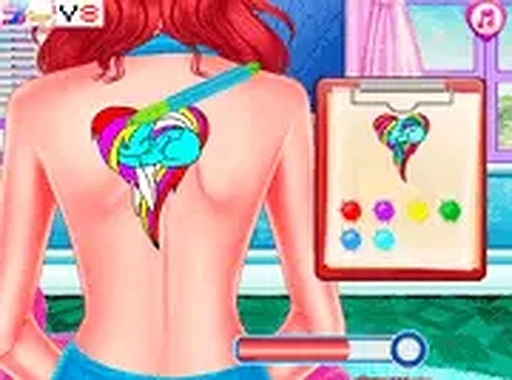
Art Design Studio for Princess is a creative and heartwarming game where players assist Princess Mia in running her own art design shop for her best friends. The core objective is to design unique and beautiful art pieces that reflect each friend's personality, ensuring they are delighted with their new looks. This game emphasizes creativity, friendship, and fun, providing a safe and enjoyable experience for players of all ages. With a variety of designs and colors to choose from, you can let your imagination run wild and create personalized art. It is a delightful way to express your artistic side while spending time with Princess Mia and her friends. The game encourages players to think about what makes each friend special and to translate that into creative designs. Every session offers a chance to try new combinations and see the friends' happy reactions. The game is designed to be positive and uplifting, making it a great choice for anyone who enjoys art and friendship themes. Players can explore different styles and learn about color coordination and design balance in a fun, low-pressure environment.
How to Play
Playing Art Design Studio for Princess is intuitive and easy. Players typically start by selecting a friend from the group, then browse through various art designs and colors. Using simple mouse clicks or touch screen taps, you can choose a design, adjust its size and position on the friend's chosen area, and finalize the look. The game is designed for quick, enjoyable sessions with no complicated controls, making it accessible for players of all skill levels. Whether on a desktop or mobile device, the game runs smoothly in your browser without any downloads needed, allowing you to jump right in and start creating. The process is straightforward: pick a friend, pick a design, customize it, and see the result. There is no time pressure, so you can take as long as you like to perfect each creation. The interface is friendly and guides you through each step, ensuring a stress-free experience.
Game Features
This game offers creative art design tools, including a selection of patterns and colors to mix and match. It features friendly, engaging characters and a positive, safe atmosphere suitable for all ages. The controls are simple and responsive, supporting both mouse and touch input for easy play on various devices. As an online game, it is free to play and requires no installation, making it convenient for quick gaming sessions. The game's focus on personalization and creativity allows players to experiment with different styles and see their friends' reactions. The variety of designs and colors ensures that each creation can be unique. The game also encourages replayability, as you can design for multiple friends and try different combinations each time.
Tips for Success
To make the most of your art designing experience, take your time exploring all available designs and colors before making a choice. Pay attention to each friend's personality and preferences, as this can guide your design decisions for a more satisfying result. Experiment with different placements and sizes to see what looks best. Don't be afraid to try bold combinations, as creativity is key. Most importantly, have fun and enjoy the process of creating unique art for each friend. Practice will help you become more efficient and confident in your designs.