Disconnect New Puzzle Game
Review
Disconnect New is a well-designed puzzle game that challenges your logic without being overwhelming. The token limits add a nice twist, and the multiple solutions mean you can play at your own pace. With over 1000 levels, it offers great value and hours of fun.
About This Game
Game Introduction
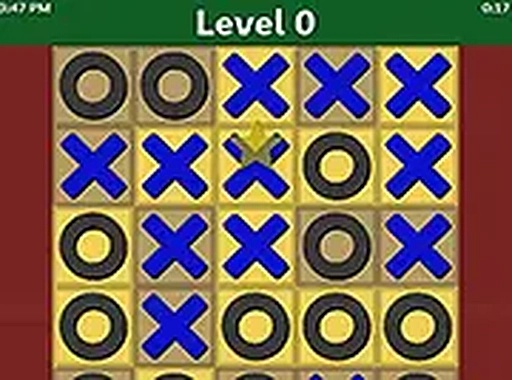
Disconnect New Puzzle Game is a fun and challenging puzzle game where you fill a grid board with colored tokens. The game includes four token types: blue and black (max 3 in a row), red (max 4 in a row), and green (max 2 in a row). With over 1000 puzzles of varying sizes, from easy 5x5 grids to harder 14x14 ones, each level uses 2 or 3 token types and has multiple solutions. The goal is to remove all strike-through lines to win. This game is perfect for players who enjoy logical thinking and problem-solving.
How to Play
In Disconnect New Puzzle Game, you place tokens on the grid to fill it completely. Each token type has a limit on how many can appear consecutively in a row or column. Blue and black tokens allow up to 3 in a row, red tokens up to 4, and green tokens up to 2. You must arrange the tokens so no line exceeds its limit. Levels have multiple solutions, so you can experiment. Use your mouse or keyboard to place tokens and clear the board. The game is designed for desktop play and works best on computers.
Game Features
Disconnect New Puzzle Game offers over 1000 puzzles, multiple solutions per level, and adjustable grid sizes. The game uses simple rules that are easy to learn but provide deep strategic challenge. Each puzzle is designed to test your logical thinking and pattern recognition skills. The variety of grid sizes and token combinations ensures that no two puzzles feel the same, providing hours of engaging gameplay.
Tips for Success
To succeed in Disconnect New Puzzle Game, start with smaller grids to understand the token limits. Pay attention to the maximum consecutive tokens allowed for each color. Plan your placements carefully to avoid creating invalid lines. Experiment with different arrangements since multiple solutions exist. Practice regularly to improve your speed and accuracy. Use the process of elimination to narrow down possible token positions.