Ball Or Nothing 2D Platformer
Review
Ball Or Nothing delivers a satisfying platforming experience with its clever use of timed abilities and progressively harder levels. The controls are easy to learn, making it accessible for casual players, while the increasing difficulty keeps it engaging for seasoned gamers. It's a great choice for quick, fun sessions on any device.
About This Game
Game Introduction
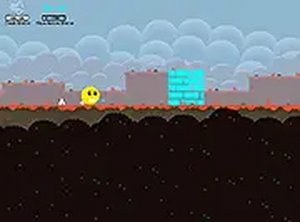
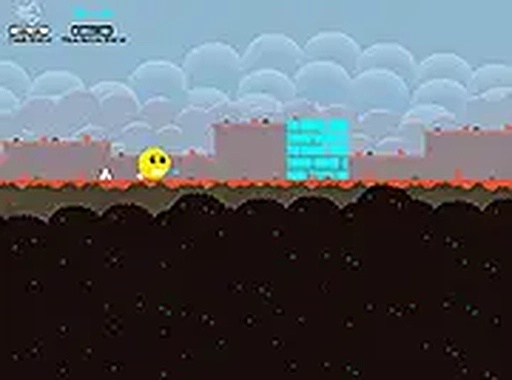
Ball Or Nothing is a 2D platformer where you guide a ball through obstacle-filled levels to reach a blue door at the end. The game combines classic arcade action with platforming challenges, requiring careful timing and strategic use of limited abilities. It is designed to be accessible for players of all ages and runs directly in your browser on both mobile and desktop devices, with no downloads needed. The progressively harder levels keep the experience engaging for quick gaming sessions or longer play.
How to Play
Players control the ball using arrow keys or on-screen controls to move left and right. Jumping is essential to avoid spikes and rotating blades. The ball can dash over gaps and blast through walls, but each ability is active for a limited time and must recharge before reuse. The main objective is to reach the blue door at the end of each level without falling or hitting hazards. Practice and careful planning of ability usage are key to progressing through the levels.
Game Features
Ball Or Nothing offers timed dash and blast abilities that add a strategic layer to platforming. Levels feature obstacles like spikes and rotating blades that test your timing and precision. The game includes progressively harder levels to maintain a challenge for experienced players. It is free to play and runs in a browser, with full screen mode available for an immersive experience. The simple controls make it easy to pick up, while the increasing difficulty provides long-term replay value.
Tips for Success
To succeed in Ball Or Nothing, focus on learning the timing of each ability. Use dashes only when necessary to cross gaps, and save blasts for walls that block your path. Practice each level multiple times to memorize obstacle patterns. Jumping early can help avoid spikes and blades. Since abilities recharge after use, plan your moves so you never run out of a needed ability at a critical moment. Staying calm and patient will improve your performance over time.